Gitlab 管控使用者
為什麼要使用 Gitlab 進行平台的管控
dentity providers use OpenShift Container Platform Secrets in the openshift-config namespace to contain the client secret, client certificates, and keys.
You can define an OpenShift Container Platform Secret containing a string by using the following command.
Creating the Application OAuth
第一步,先去Gitlab上建置相關的application,並且設定該application所需要的權限。
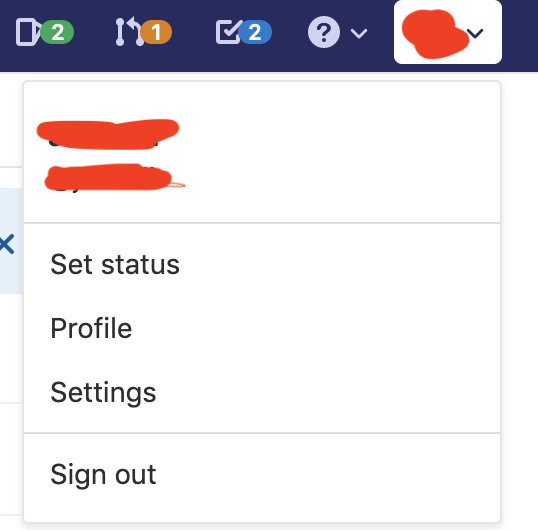
- 如圖所示先選擇Gitlab網頁上右上角自己的頭像,並選擇Setting。
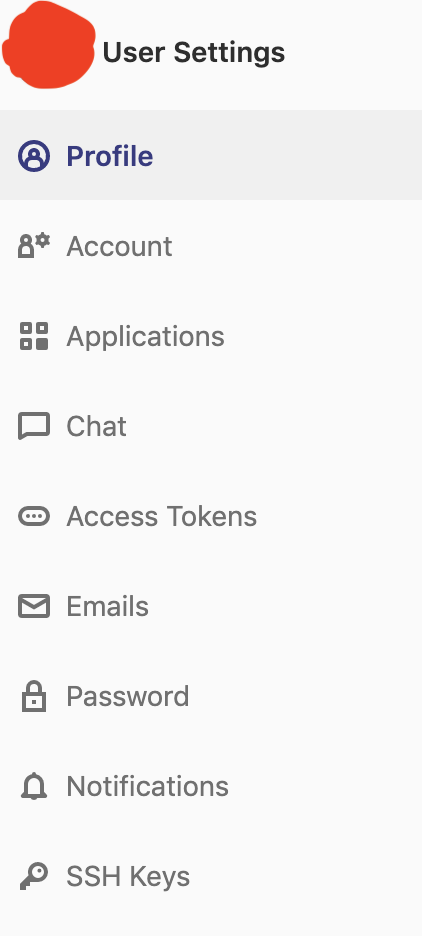
- 選擇完Setting後,到左方選擇Applications,進入到設定Application的頁面。
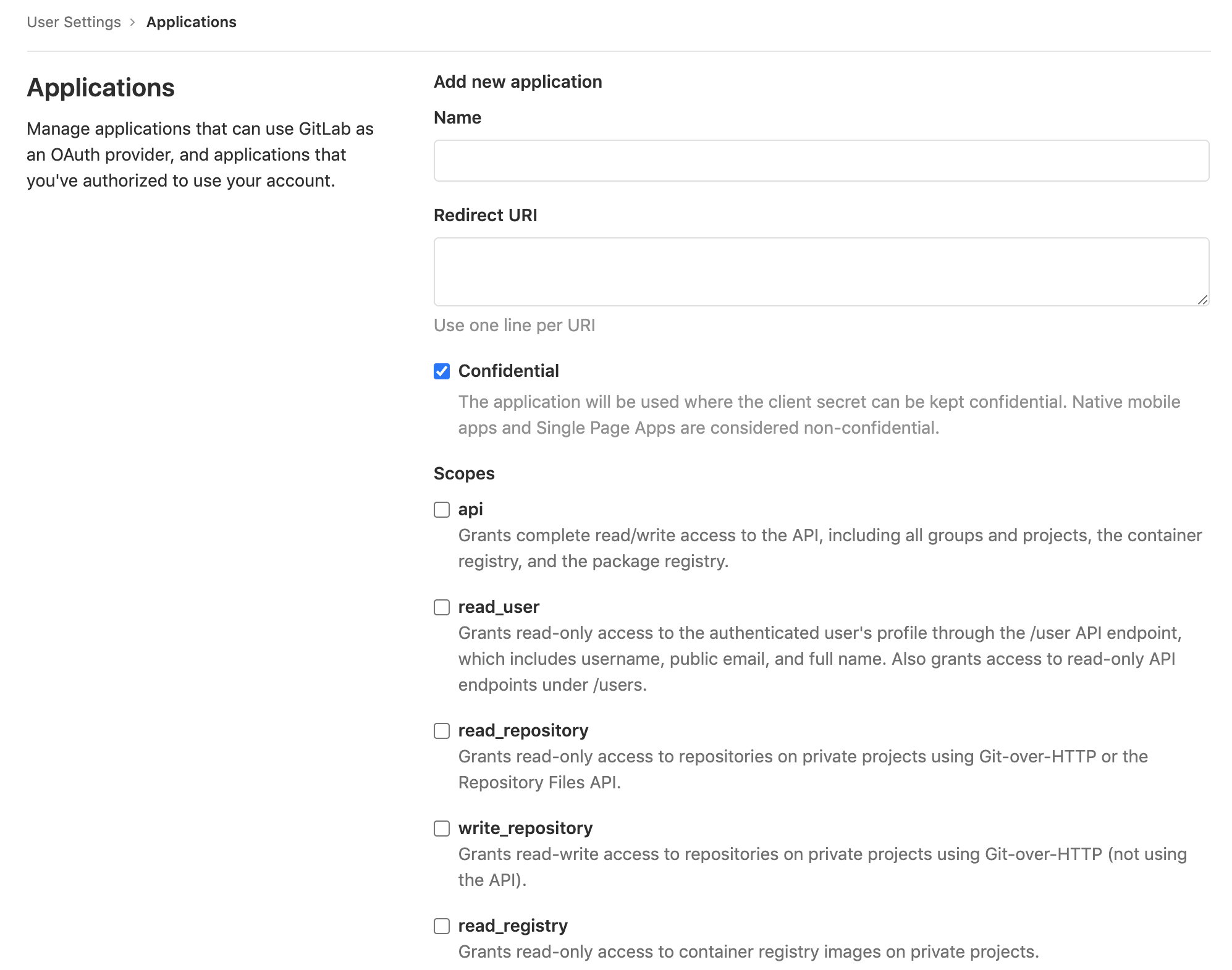
- 進到設定Application的頁面後,會看到以下畫面。這邊有幾個部分需要留意。
-
Redirect URI
需要特定格式進行填寫,https://oauth-openshift.apps.<cluster-name>.<cluster-domain>/oauth2callback/<idp-provider-name>cluster name與cluster-domain可以在openshift console的網址上看到,例如:console-openshift-console.apps.ocp4demo.jjmengze.website其中
ocp4demo就是我們的cluster name,而 jjmengze.website 就是cluster-domain。 -
openid
因為 Openshift 需要透過 OpenID Connect (OIDC)驗證 Gitlab 使用者的登入資訊,所以我們要把openid給勾選起來。
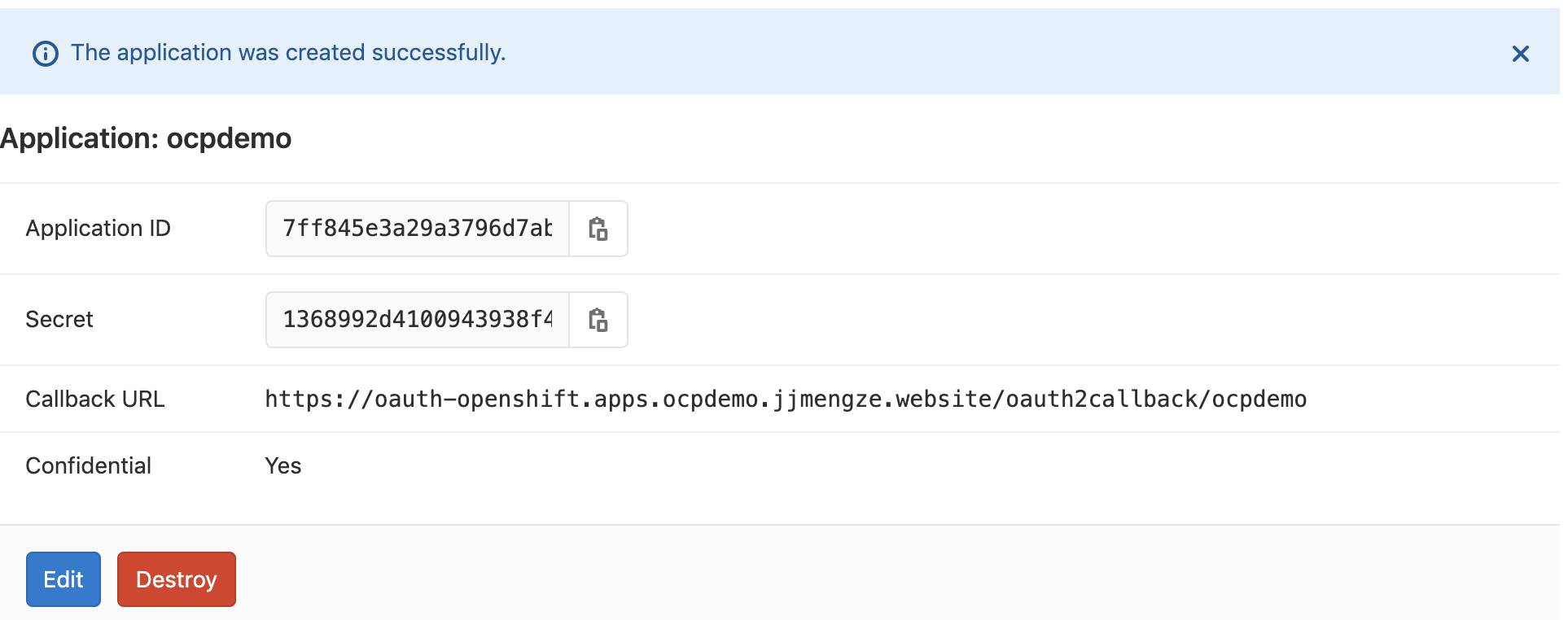
- 填寫完成後按下 Save application 可以看到以下結果。
Create secret
要在 OCP 上面建立一個 secret 後續讓驗證的時候可以攜帶這個 secret 資訊。
這裡的 clientSecret 的數值就是剛剛在 Gitlab 上建立 Application 的 Secret 的數值呦!
$kubectl create secret generic gitlab-app-oath --from-literal=clientSecret="1368992d4100943938f4896d47419b4bba3c5598dce0fa15f8c4ca50fc16758f" -n openshift-config
Create Comfigmap
接著建立 configmap ,這裡的 configmap 是 Gitlab 的憑證,只要修改一下憑證的路徑在按照下面的命令執行就可以把憑證放到 OCP 上了。
$kubectl create configmap gitlab-ca --from-file=ca.crt=/mnt/gitlab-ca.crt -n openshift-config
Create OAuth
上面的步驟做完之後,我們還需要建立一個 yaml 案來告訴 OCP 說現在要多提供一種登入及認證方式。
|
|
de re mi so ,我們可以 apply 這個設定檔案到 OCP 上囉!
$kubectl apply -f oath-gitlab.yml
就著我們就可以到openshift console 看剛剛的設定是不是大成功了!
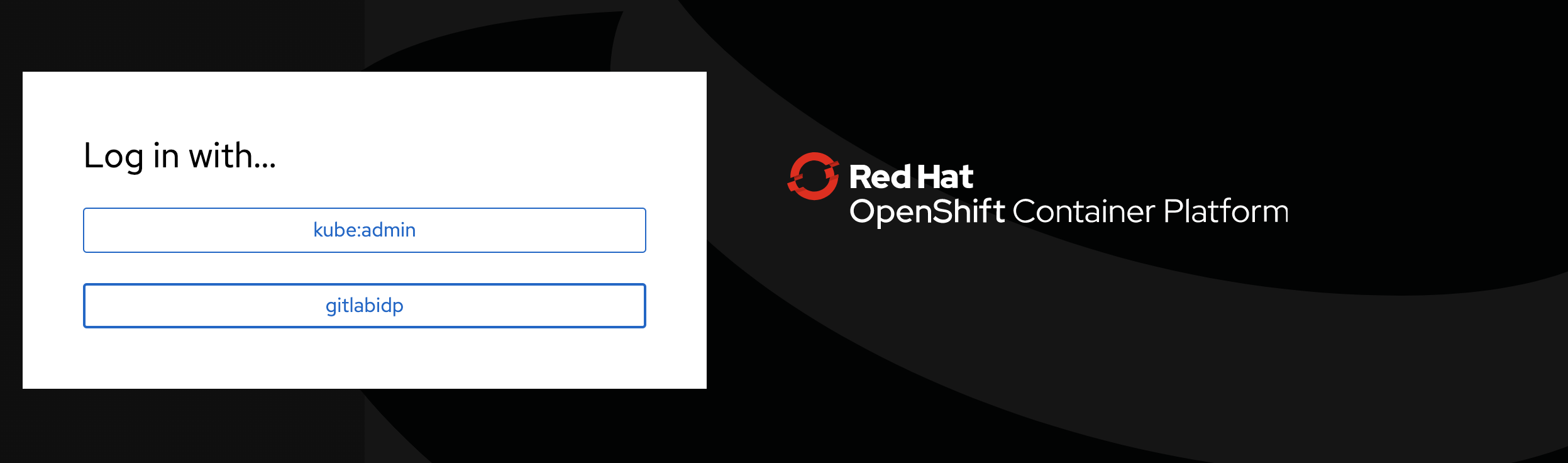
快樂地點進去之後,可以看看。可以看到 OCP 向你的 Gitlab 要權限登入囉。
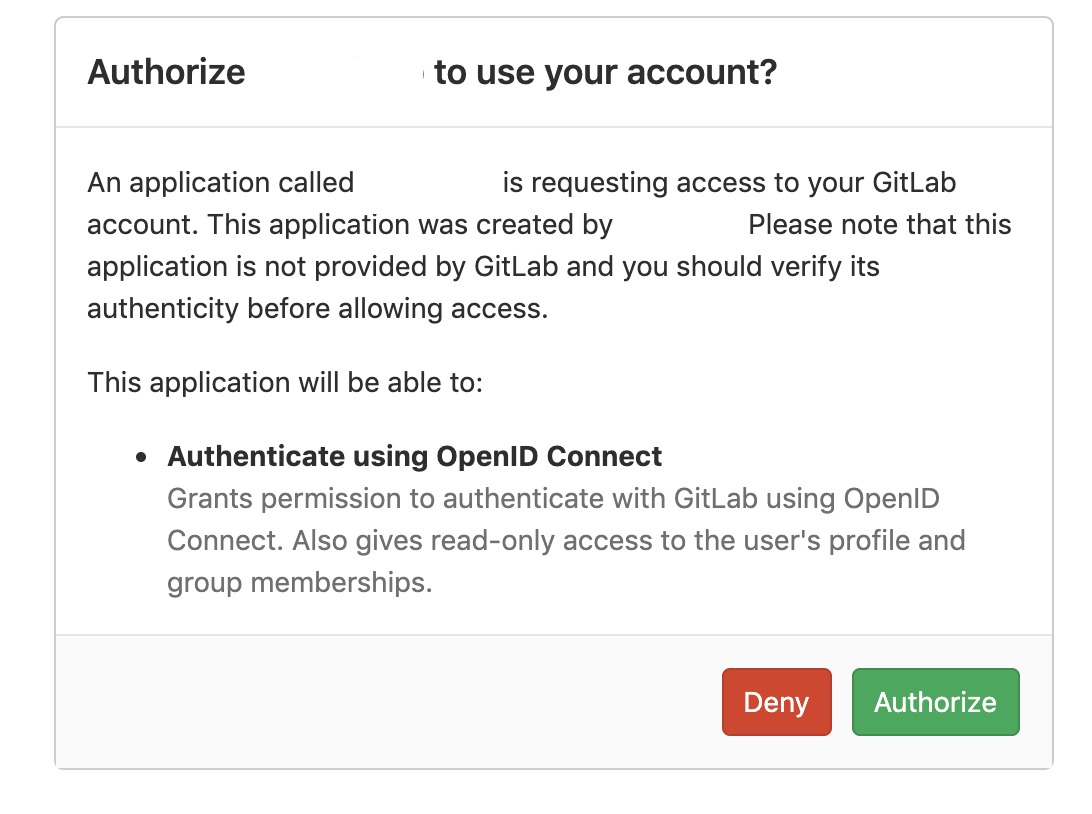
按下 Authorize 後就可進入到 Openshift 的頁面,接著開始操作你的環境囉!